- By Type
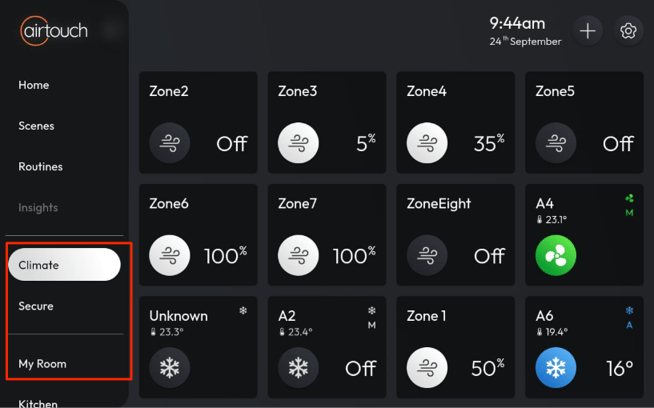
- Go to Main Menu > Climate → Displays climate-related devices such as AC, Zones, and AirTouch Beam.
- Go to Main Menu > Secure → Displays AirTouch Secure devices such as Motion Sensor, Door/Window Sensor, Siren, etc.
- By Room
- Go to a Room Name → Displays all devices assigned to that room.