
To add an AirTouch Beam device to AirTouch Home, make sure the Beam is online and connected to the same network as your AirTouch Home console.
Steps to Add AirTouch Beam
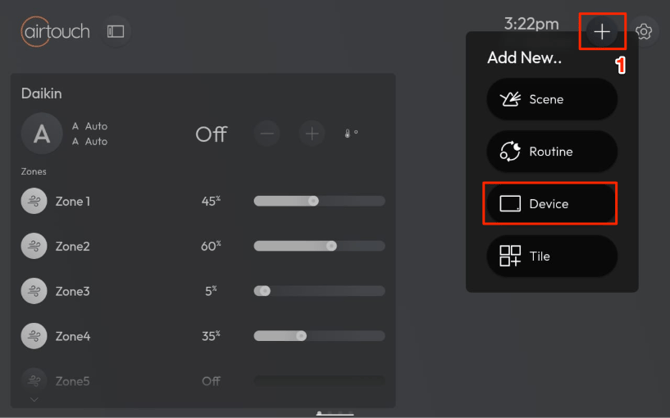
- On the AirTouch Home console or mobile app, tap the + (Add icon) → select Device.
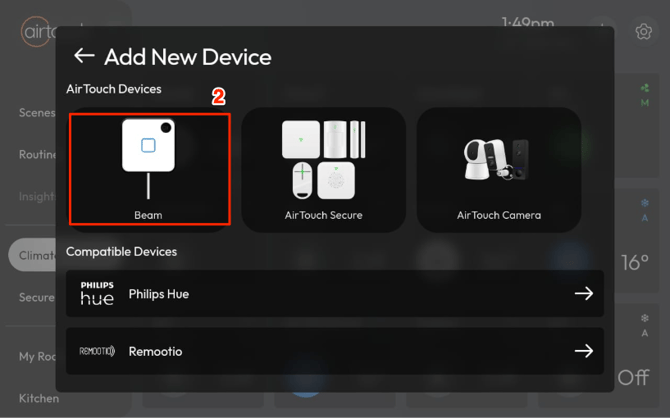
- Choose AirTouch Beam from the list.
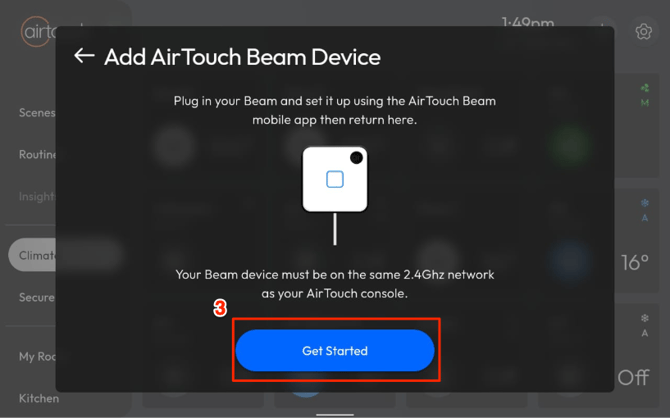
- Tap Get Started.
- The console will search for AirTouch Beam devices on your network.
- Ensure your Beam device is powered on and connected to the same network as the console. - Once AirTouch Home finds the AirTouch Beam devices, configure each of the devices:
- Rename it (optional).
- Assign it to a room (optional).
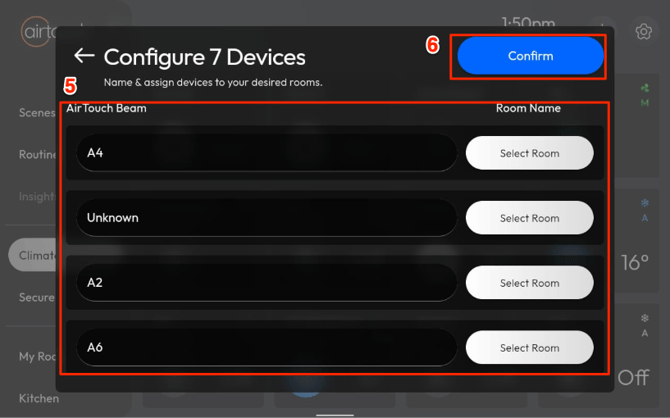
- Tap Confirm to finish setup.
Your AirTouch Beam is now ready to use within AirTouch Home.