- Open the AirTouch Home mobile app.
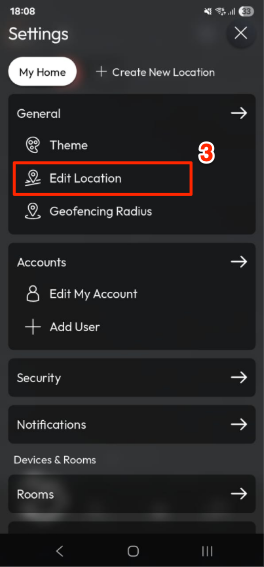
- Go to Settings.
- Tap Edit Location.
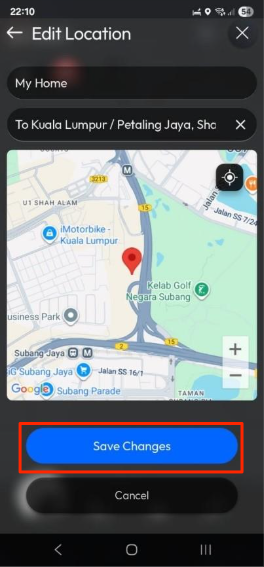
- Update the desired fields:
- Location Name
- Address (optional)
- Tap Save Changes to confirm.

Last updated 26 October 2026
Did this help? If you’re still stuck, our team is here.
Contact support