
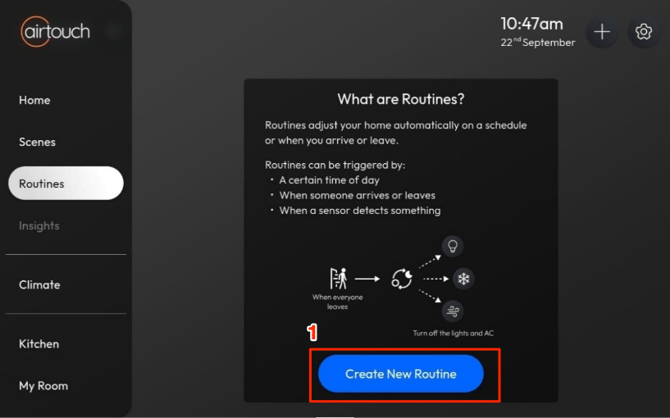
- Go to Routine > tap New Routine.
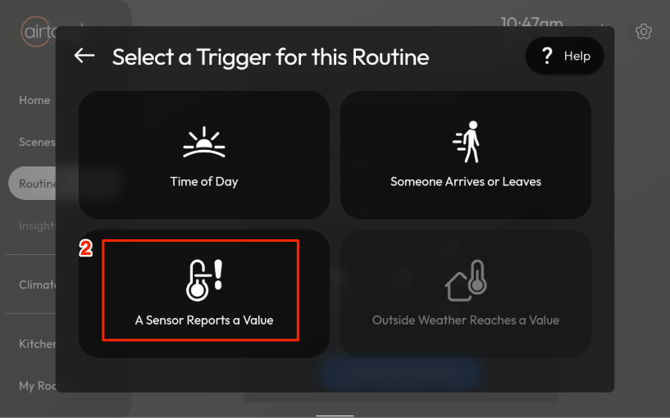
- Select A Sensor Reports a Value.
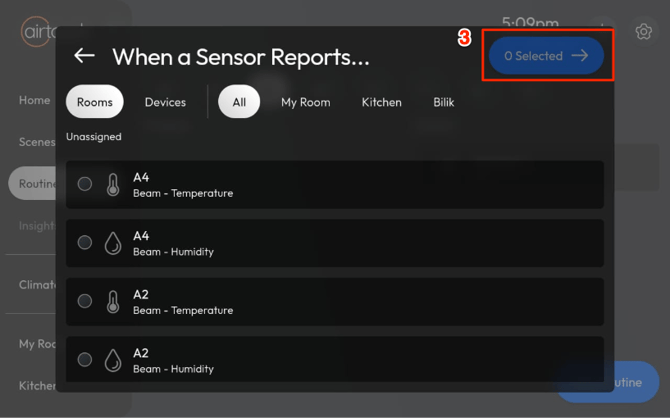
- Choose the sensor device(s), then tap Next.
- Set the condition, then tap Next.
- For Temperature and Humidity: Set Rises Above or Drops Below a value
- For Door Sensor: Is Closed or Is Opened selection and set the duration of how long the condition lasts.
- For Motion Sensor: Detects Motion or Does Not Detect Motion selection and set the duration of how long the condition lasts.
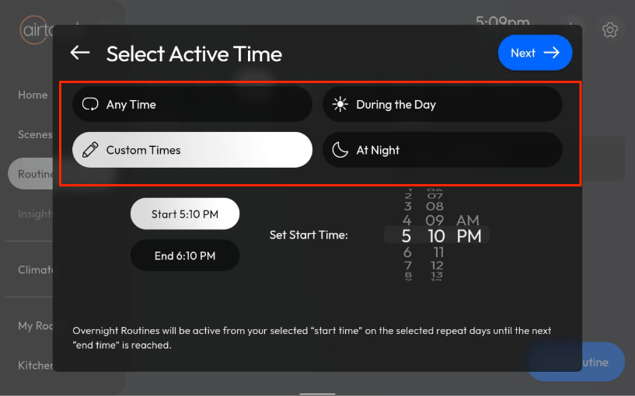
- Select the Active Time, then tap Next.
- Anytime > always triggers the routine.
- During the Day > triggers from sunrise to sunset.
- At Night > triggers from sunset to sunrise.
- Custom Times > manually select start and end times.
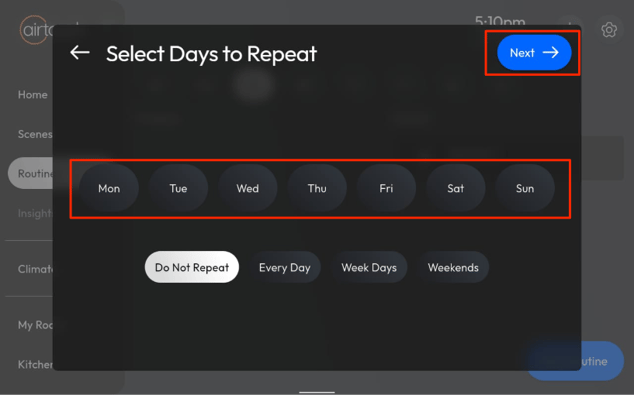
- Choose the Days to Repeat, then tap Next.
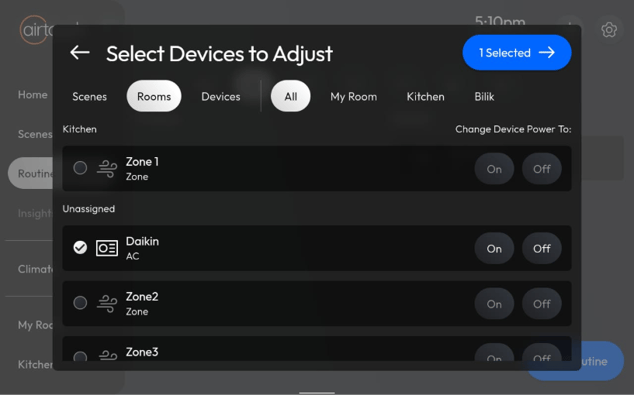
- Select the Devices to Adjust, then tap Next.
- Enter a name for your Routine.
- Configure device actions such as on/off, temperature changes, etc.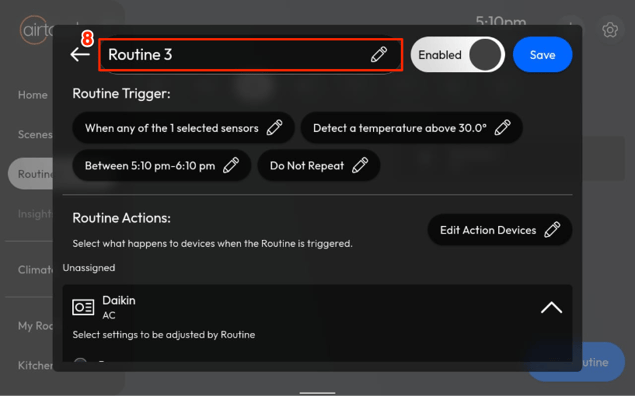
- (Optional) Enable Notifications and customise the message.
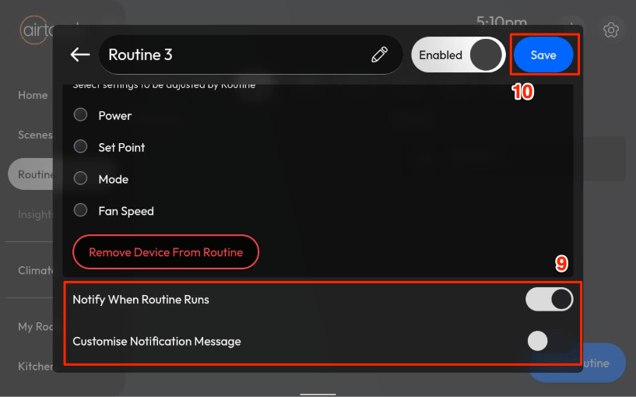
- Tap Save.
Your Routine is now ready and will trigger automatically when the sensor reports the specified value.