
- Go to Routine > tap New Routine.
- Alternatively, tap the + (Add icon) > Routine.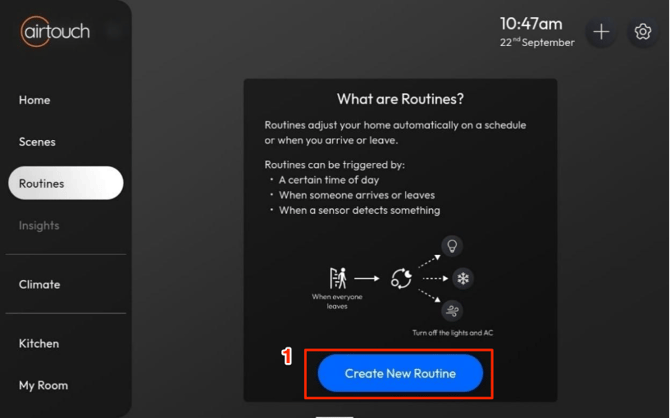
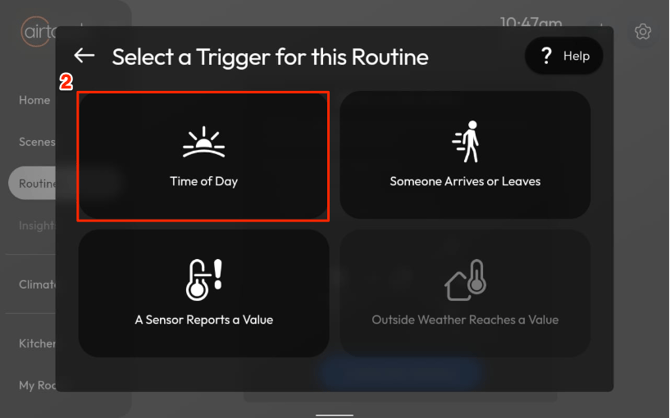
- Select Time of Day.
- Set a specific time, or choose Sunrise or Sunset, then tap Next.
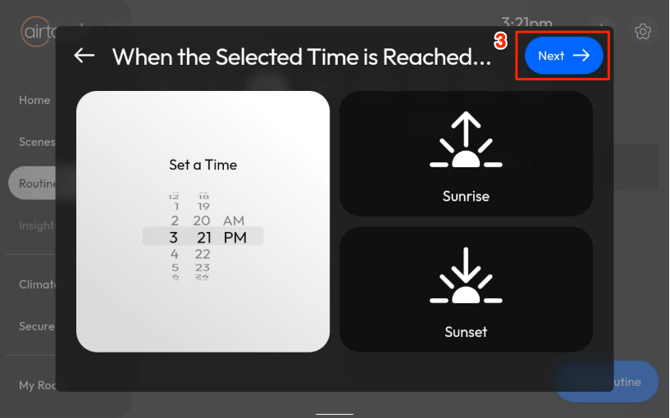
Notes: Need to allow ’Location’ permission for Console apps to retrieve Geolocation to get the sunrise & sunset timing. Else, these 2 selections will be disabled. - Select the Days to Repeat, then tap Next.
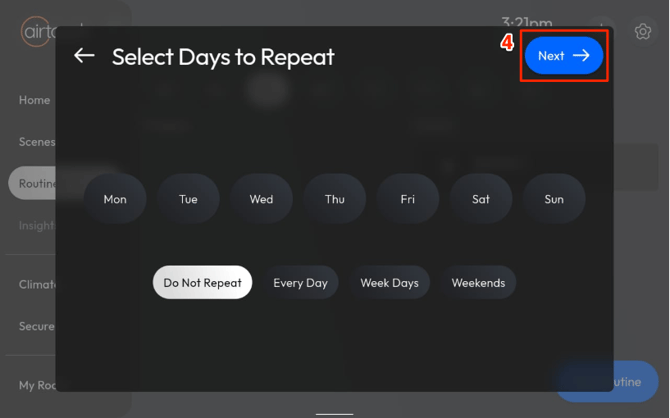
- Choose the Devices to Adjust, then tap Next.
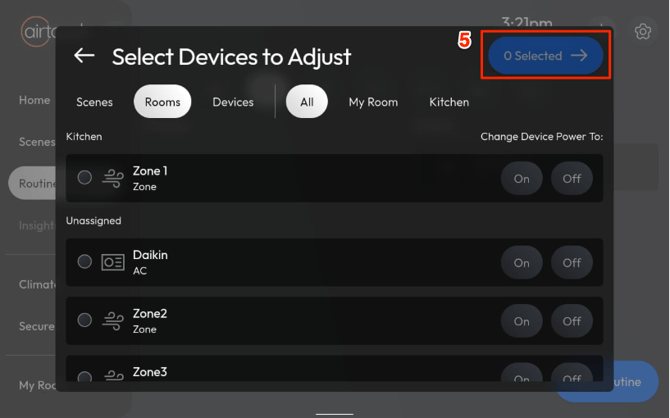
- Enter a name for your Routine.
-Configure device actions such as on/off, temperature changes, etc.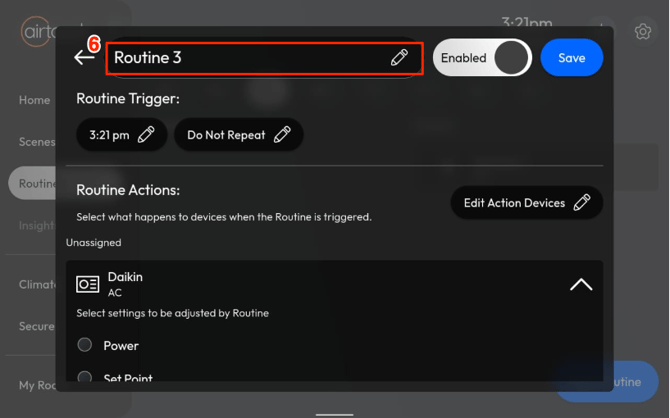
- (Optional) Enable Notifications and customise the message.
- Tap Save.
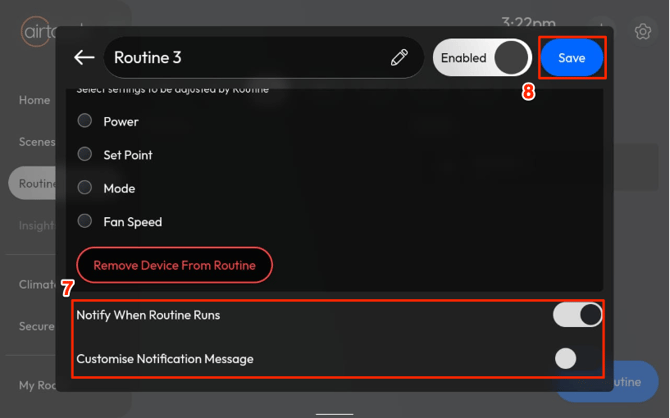
Your Routine is now ready and will trigger automatically at the set time.
How to set up a Routine triggered by time of day with AirTouch Home?
Last updated 26 October 2026
More in Features & Functionalities
Did this help? If you’re still stuck, our team is here.
Contact support