
- Go to the Main Menu > Scenes > tap Create New Scene.
- Alternatively, tap the + (Add icon) > Scenes.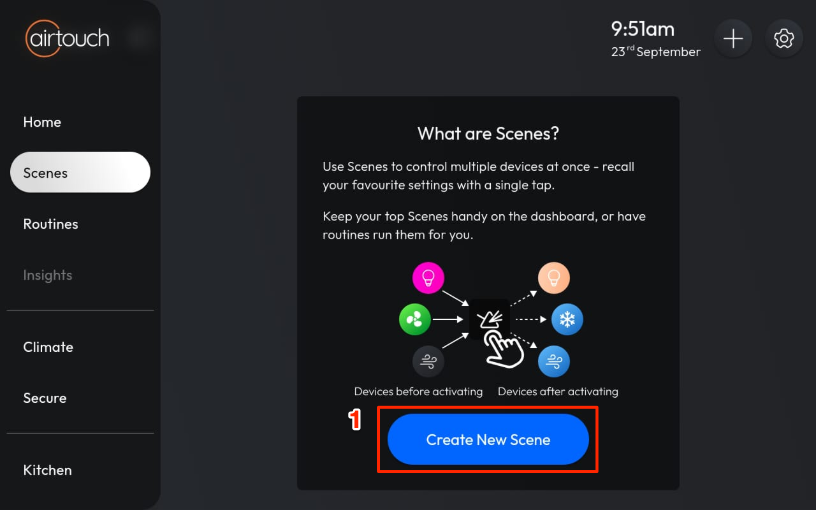
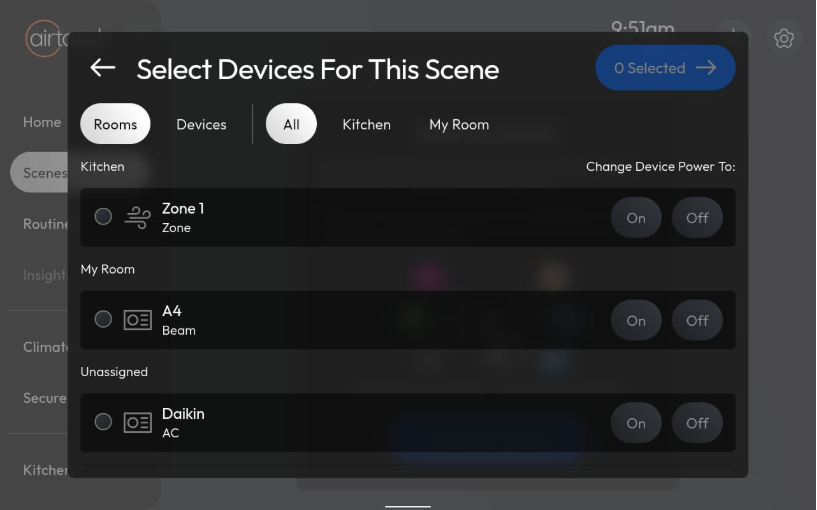
- Select the devices you want to control.
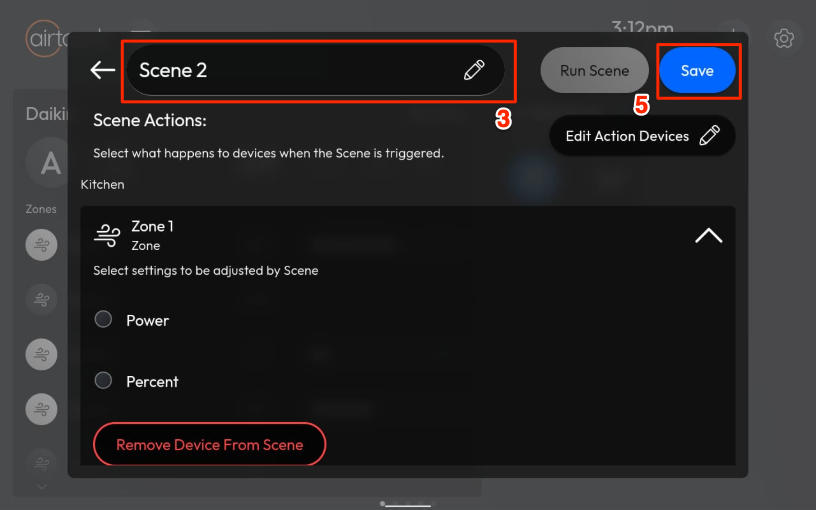
- Enter a name for your Scene.
- Configure the actions for each device (e.g., turn on/off, set temperature).
- Tap Save to finish.
Your Scene will now appear in the Scenes list and can be activated with a single tap.