How to Enable or Disable Notifications in the AirTouch Home Mobile App?
Last updated 26 October 2026
- Open the AirTouch Home mobile app.
- Go to Settings > Notifications.
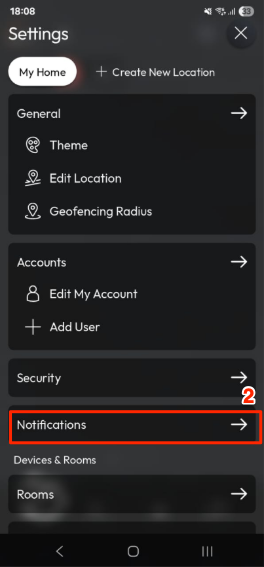
- Use the toggle switch to turn notifications On or Off.
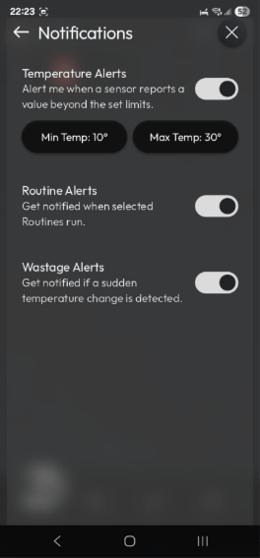
Types of Notifications
- Temperature Alerts – Get notified when your AC reaches the set minimum or maximum temperature.
- Routine Alerts – Receive alerts when your selected routines are triggered.
- Wastage Alerts – Be notified if a sudden temperature change is detected, helping to prevent energy wastage.
More in Troubleshooting & Error Codes
